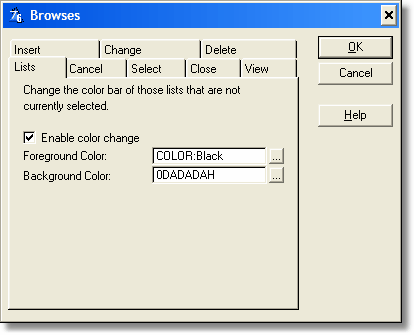
The "Enable color change" option applies when there is a window with several lists, or when a list loose focus. The selected list will have the normal selection bar color, while the other lists will have the color indicated here. This is a strong visual aid for the user to notice which list is currently selected (if any). The normal behavior is that all the lists look the same, whatever they are selected or not.
This is especially useful for using locators, when you need to have the desired list actually selected for the locator to work.
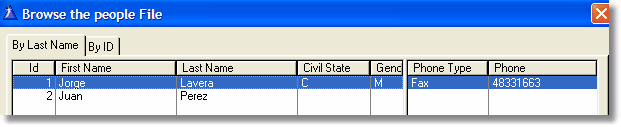
This is how a normal window looks:
And this is how it looks when you activate this option:
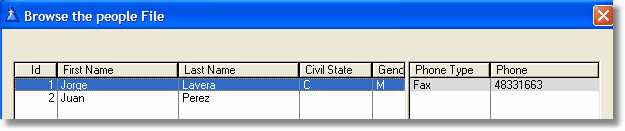
As you can see, it is clear in this case that the first list is the one currently selected.