The "PanelCheckGroupTab" procedure shows several check boxes in the third Tab. This is how the third Tab of the window looks at design-time:
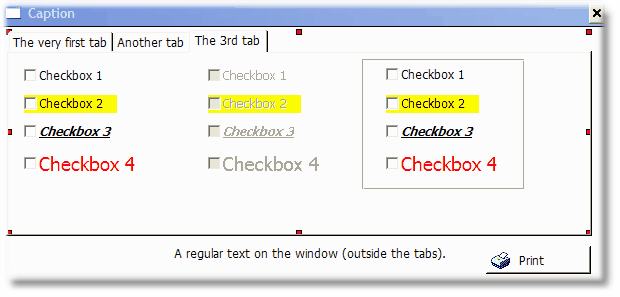
The second group of four check boxes are disabled. The third group is enabled, but they are inside a group that has the "hide" attribute.
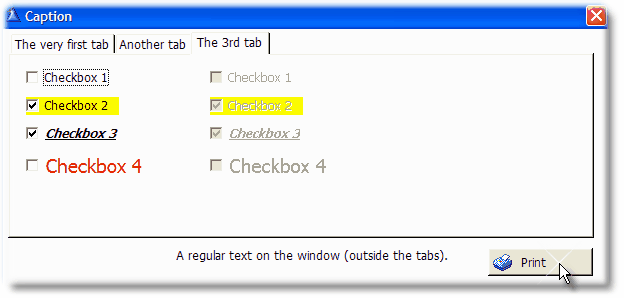
This is how the third Tab of the window looks at run-time:
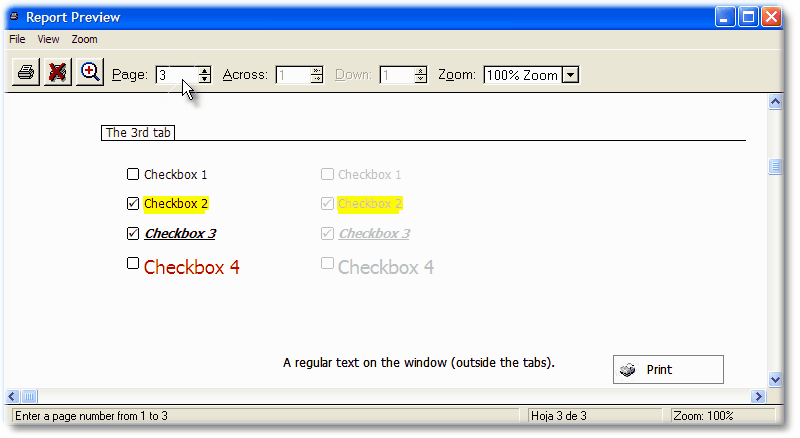
Clarion do have support for checkboxes in reports, but we preferred to emulate them so we have better control on their aspect.
This is how it looks when you press the "print" button or the hot key (whatever applies):
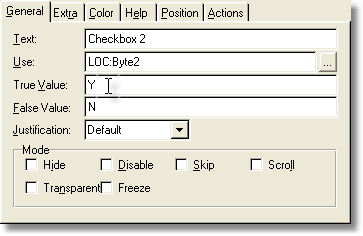
The "Checkbox 2" has a custom True/False value. Note that when you set the custom values in the DCT after populate the control on the window, the control will be out of sync. You have to resync it again or manually add the True/False custom values in the control's properties window, as shown below: