When you tick this option, the "entries" type fields for this particular procedure are printed with the box around them (like you see them on the window). This is useful for printing plain windows.
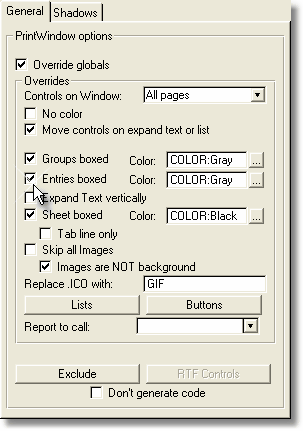
If you don't tick this option, only the contents of the "entry" type fields are printed. This may be useful for printing "Form" type windows where there is a background image as a form.
This option will be activated only if you tick the "Override globals" setting.
See the example Entries with Tabs.
The "Color" lookup field to the right allows you to change the entry box color.