The "PanelCheckGroupTab" procedure shows several groups and options in the second Tab. This is how the second Tab of the window looks at design-time:
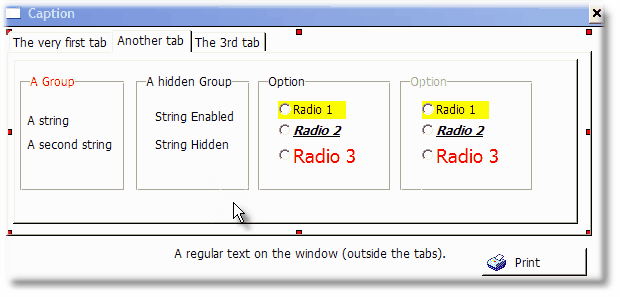
The first group has a red font color.
The second group is hidden, although only one of it "child" controls is also hidden.
The first option show several color and font combinations for the radio buttons.
The last option is disabled.
The window looks different at run-time. Here is how it looks:
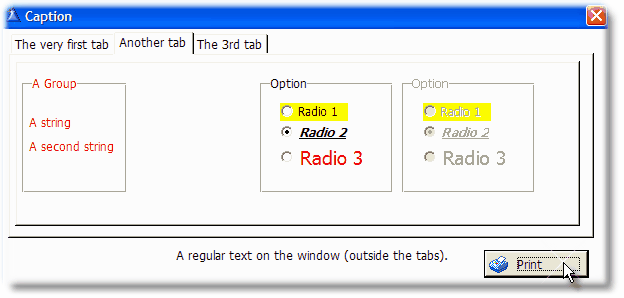
Note that each group inherits some characteristics of the group, like the font color the first group or the hidden or disabled state the second and fourth group.
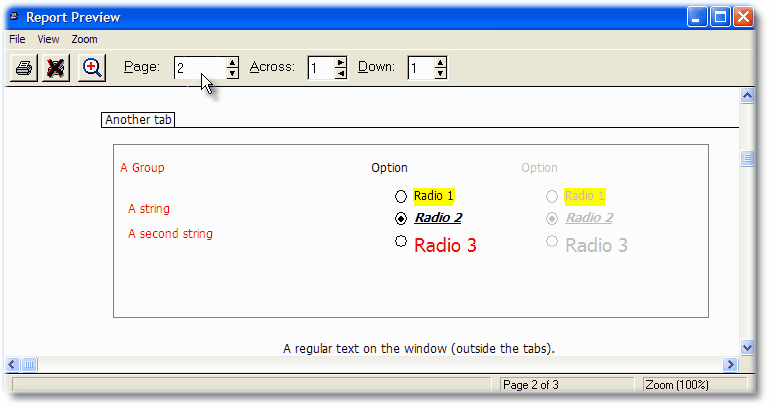
You can print the groups and option fields with or without the surrounding boxes.
This is how it looks with the "Groups boxed" option activated:
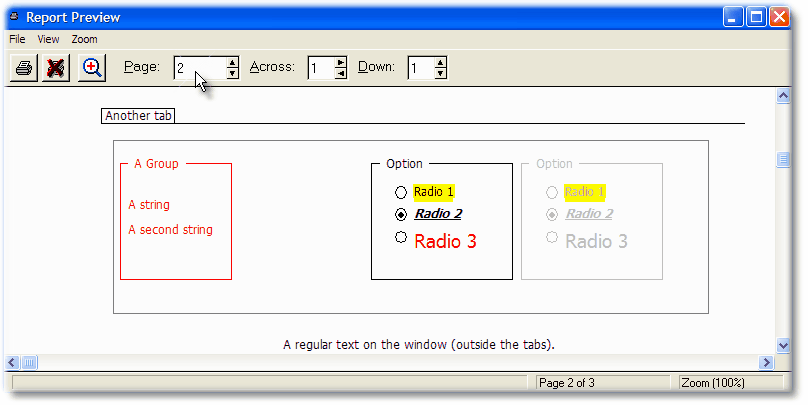
Note that in the first group the font color is inherited also by the box border.
Also note that that the background color in the radio buttons is limited to the text only, not the radio itself. This is intended.
And this is how it looks with the "Groups boxed" option deactivated: