When you select "Color changed to Gray", all the controls (except images) will be printed on black, no matter their color, and background colors on graphic primitives controls (Box and Ellipse) and Panels will be printed as gray. Background colors on other controls will be ignored.
When you select "No Colors at all", all the controls (except images) will be printed on black, no matter their color, and background colors on graphic primitives controls (Box and Ellipse), Panels and other controls will be printed with no color (i.e. transparent).
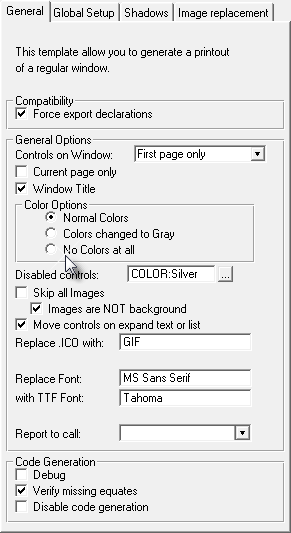
If you select the default, "Normal colors", the printout will be as colorful as your window.
Since this is a global setup, all your windows will take this option unless overrode locally.
See the examples String and Prompts and Drawings.